Notes

  • When using Claude Code I sometimes need to force the submission with CTRL+ENTER, but this was also making the terminal full-screen. Initially I thought this was an Omarchy setting, but it turns out this is a default Ghostty shortcut.

    To disable it I needed to add keybind = ctrl+enter=unbind to ~/.config/ghostty/config.
  • I discovered this video about an open source writing app that works on Linux. Mac and Windows created by Hugh Howey, the author of Silo:

    So I installed it removing the version name so I can later update it without renaming the Launcher:

    mkdir -p ~/Applications && cd ~/Applications
    curl -L https://github.com/hughhowey/neo/releases/download/v0.8.3/NEO-0.8.3.AppImage -o NEO.AppImage
    chmod +x NEO.AppImage
    ./NEO.AppImage --no-sandbox

    And asked Claude Code to add it as a Launcher (a .desktop with an icon).

    Now let’s see if I can finish writing a book project that I’ve been postponing for some years.

  • I had some shortcuts conflicts in Joplin due to some plugins that I install and I can change an existing shortcut in the interface without fixing this conflicts. The problem is that they are not highlighted and going through the interface to find and change them is a pain to do. So I tried asking Claude Code to find all conflicts and I learned that they are stored in ~/.config/joplin-desktop/keymap-desktop.json, so it was able to fix it and change some of the shortcuts. The only requirement is that Joplin needs to be closed. Now I can use CTRL+K again for the Jump to function, so this shortcut works like Slack or Logseq.

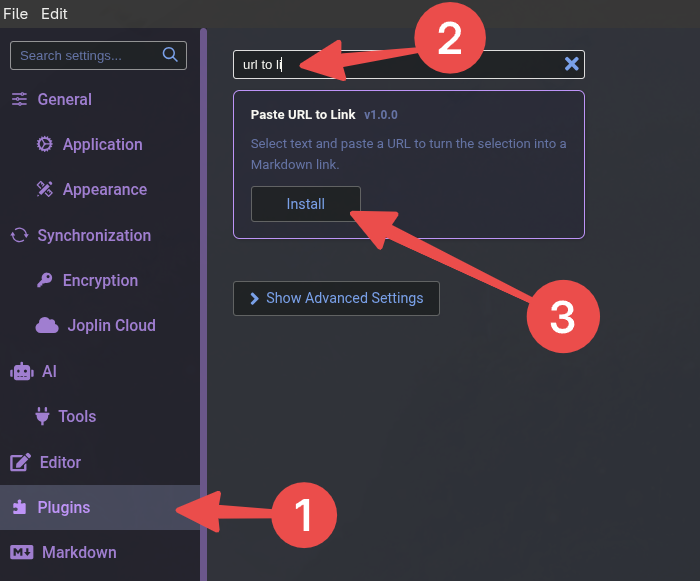
  • My first Joplin plugin is live and you can install it directly from Joplin. (the website URL is still throwing a Page Not Found, but it should be live in a couple of hours).

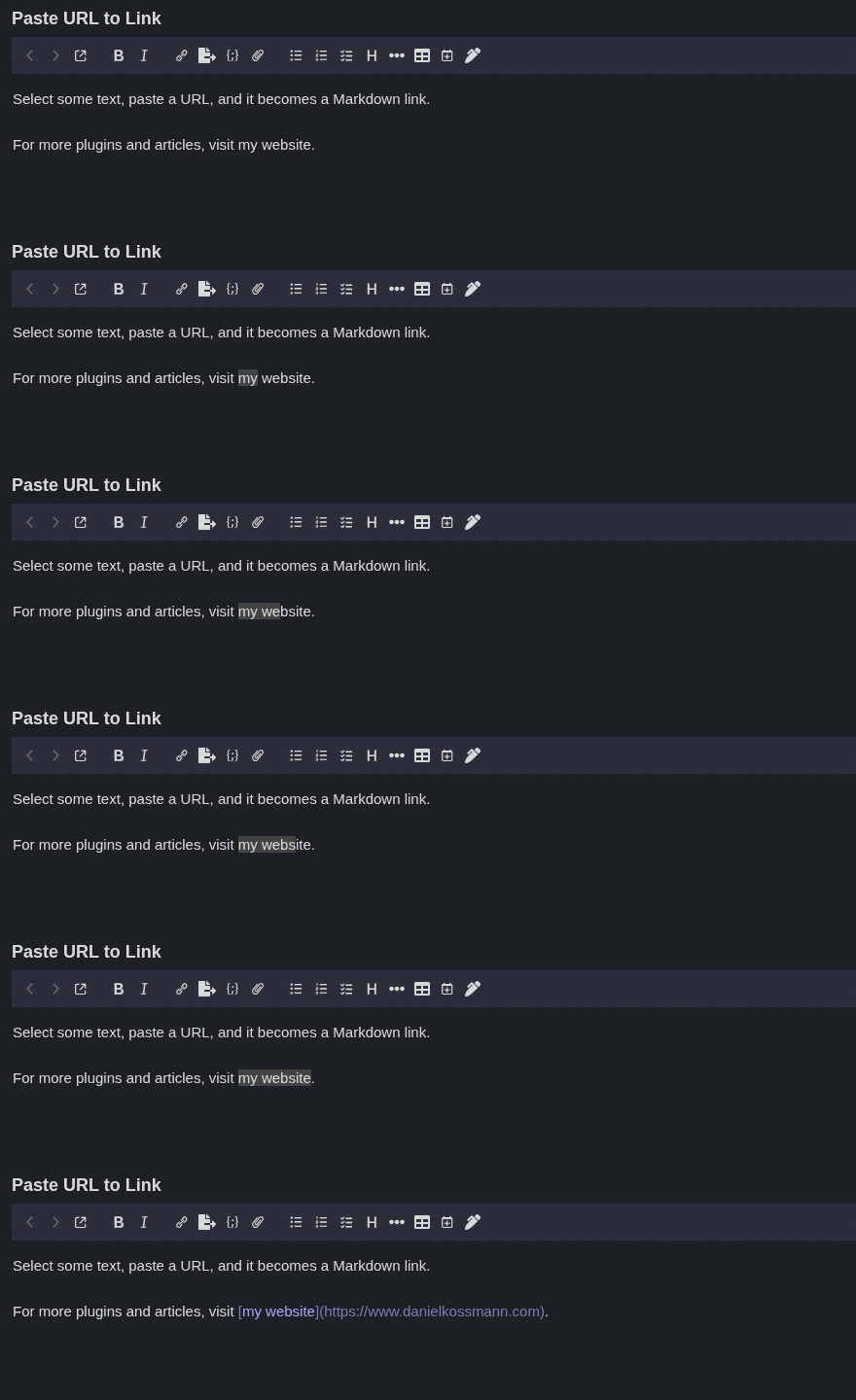
  • I crated my first Joplin plugin called Paste URL to Link! It mimics the WordPress block editor behavior to transform into links a selected text if you paste an URL. Here is a demo recorder by Claude Code 🤖

    I started to write a lot of details about the process and I realized that it deserves a post about it, not just a quick note. So there should be soon a post about it.

  • In the book Pattern Recognition, by William Gibson, a device called the Curta is mentioned several times, including as an important part of computing history. That got me curious, so I did a quick search and found out that the Curta is a mechanical calculator from 1948. Here’s an interesting video showing how it works.

  • I wanted to create a mockup to test some ideas for changing a web page, so I opened Gemini in Google Chrome and asked for it, only to get a message saying it couldn’t do that. Then I opened the Claude Code extension, asked for the same thing, and it just did it. I wasn’t expecting Gemini to fail at this…

  • Writing post excerpts isn’t something I enjoy, so I use an LLM to help with that. I usually ask for five suggestions and combine parts of them. For Experimenting with Claude Design to Improve My Presentation Slides, this is what I picked:

    I always plan the story of a talk first and leave the design for last, when I have the least energy. This time I asked Claude Design to help me with that last step.

    A few hours after I posted it, this started to bother me, but I couldn’t quite figure out why. The next day it hit me: it sounded like the kind of clickbaity descriptions I don’t like (to put it mildly). So I wrote a new one from scratch, using an LLM only to fix spelling mistakes:

    An experiment to see if I can use Claude Design to turn a bare-bones presentation into something more stylish.

  • I wasn’t expecting this unofficial Zelda-themed Wallace & Gromit short to be so good! A must-see for fans of both franchises. Another surprise was learning that it was made in Blender.

  • It’s heartwarming to see this video of a 91-year-old Zelda fan.

    And the follow-up from when she turned 92.

  • I learned that Joplin 3.7 added support to AI features, including a MCP server! Definitively will try that out! There is also a Joplin Cloud AI that is included in the Joplin Cloud account that I have, which is awesome too. I’ll also experiment it with some local models too.

  • I started using Joplin in July 13 2022 I’ve been an user of Joplin Cloud to sync notes between my devices. It’s a great service and I’m really happy with it and today I switched my subscription to be yearly, which is something I should have done sooner (it’s 7.19€ cheaper than paying monthly), but I forgot to do it.