
When preparing a presentation for an event, I learned to split the process into two phases: first creating the slides with the raw content and working on the storytelling so they have a good pace and tell a compelling story. Only when this is working well I move to the second phase, making the slides look good. Unfortunately most of the time I don’t do a good job in this last phase and end up with something more barebones, just because I didn’t want to invest that much time in it.
On September 1, 2026, I gave a presentation at the WordPress Community meetup about the WordPress 7.1 release. Although it was just 3 slides, because I was going to do a live demo of everything, I figured it would be a good opportunity to see if AI could help me with this.
So I created the slides with the raw content in Google Slides, based on a previous talk that I gave, and set it to use one of the default “blank” themes. Then I exported it to PDF and got the following.
After this I attached it to Claude Design together with the following design from the event:
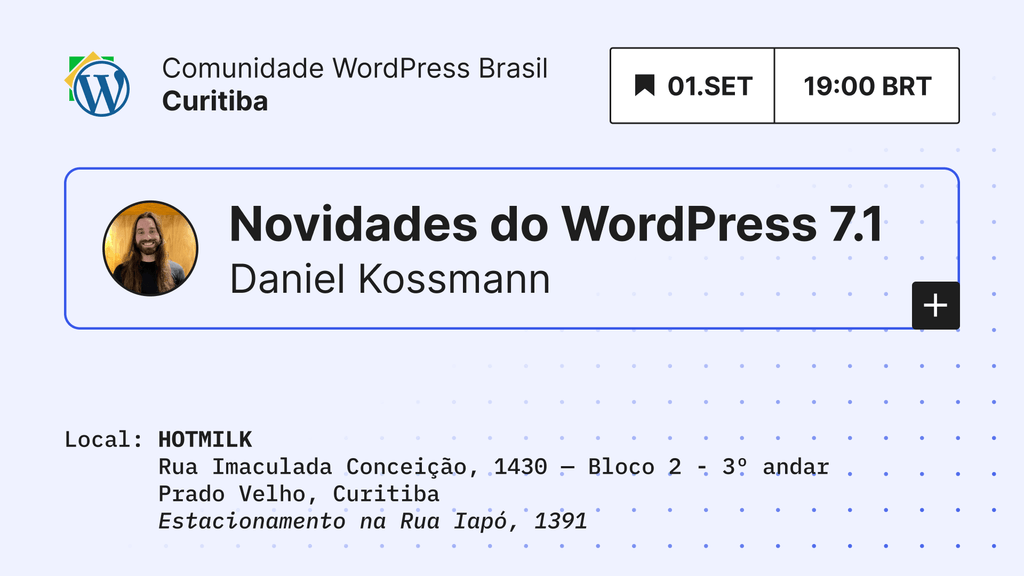
And I asked it to Help me get the attached presentation into the style of this image. In general, I want something really minimalist and simple that looks good. After some iterations, including sending some other design examples from the WordPress Video Thumbnail Generator Figma File, I got the following design.
It was a lot better than what I would have done by myself, and definitely a lot faster!
The only cumbersome part was getting it into a PDF. I tried multiple export types that either didn’t export the design properly or added blank margins at the top and bottom (when I asked it to generate a PDF, it exported a “print” version, and I don’t know which setting to use to remove these blank margins, so leave a comment if you know). The one that worked was Share > PowerPoint > Screenshot slides (Pixel-perfect, not editable), and then I opened it with LibreOffice Impress and exported it to PDF.
For my next talk I want to try something similar again and see how it works for a longer, more complex presentation.

Leave a Reply