
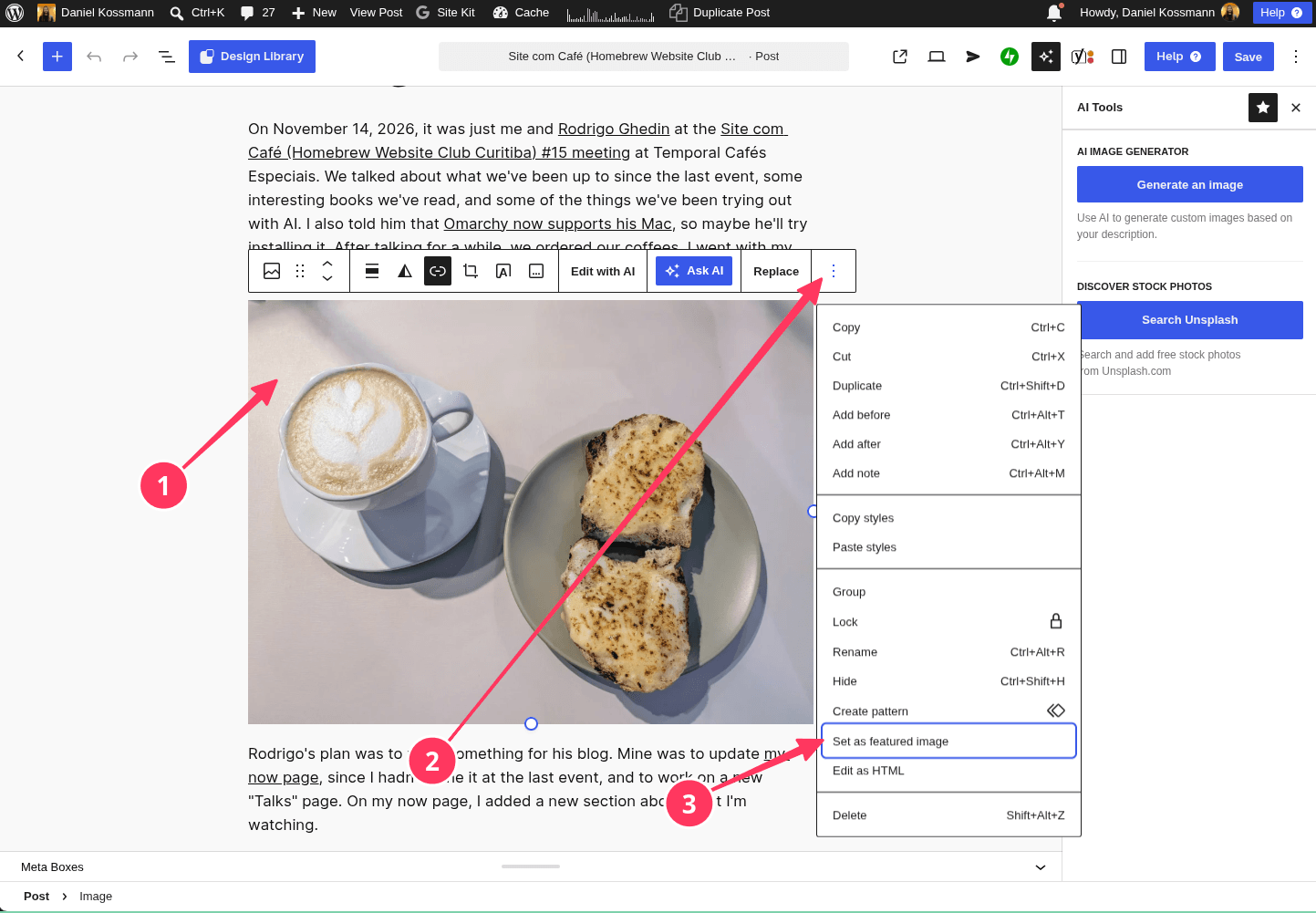
A lot of times I find myself searching through the WordPress Media Library to set the featured image, which most of the time is an image I’m already using somewhere inside the post. Since WordPress v6.8, it’s possible to select an image in your content (1), click the three dots (2), and then click “Set as featured image” (3).
This is a quick tip that makes my publishing process faster. I hope you enjoy it too.

Leave a Reply